> ## Documentation Index
> Fetch the complete documentation index at: https://docs.voicebot.studio/llms.txt
> Use this file to discover all available pages before exploring further.
# Billing & Usage
> Manage your enterprise billing, subscriptions, and usage analytics
## Usage Overview
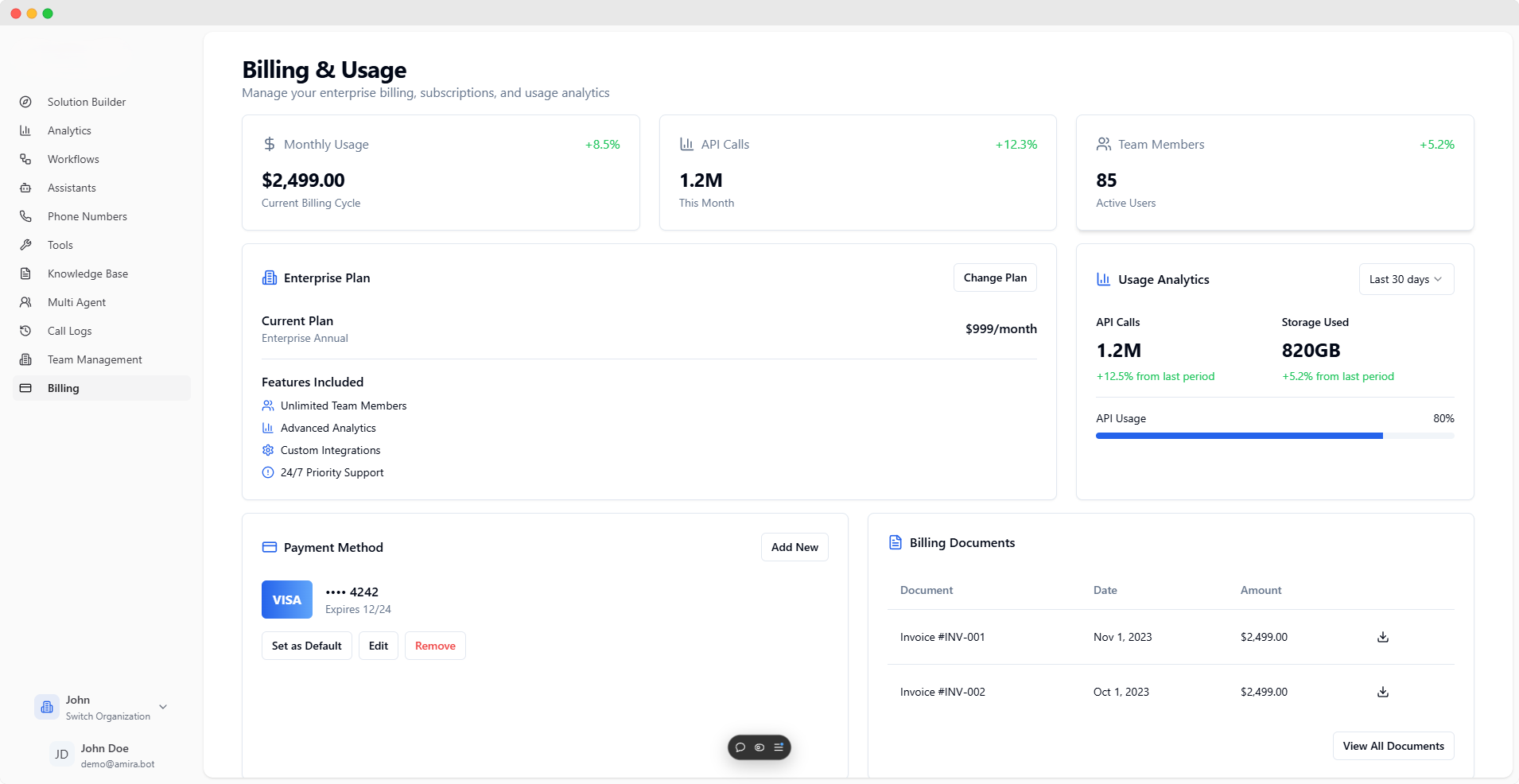
Monitor your organization's usage metrics, subscription details, and billing information in real-time through our comprehensive dashboard.
Track your billing cycle:
* Current period charges
* Month-over-month changes
* Billing trends
Monitor API usage:
* Total monthly calls
* Usage patterns
* Growth metrics
Track user activity:
* Active user count
* User growth rate
* Account status
## Enterprise Plan Details
Current Subscription
* Plan name and type
* Monthly subscription cost
* Billing cycle details
### Enterprise Features
* Unlimited Team Members
* Advanced Analytics
* Custom Integrations
* 24/7 Priority Support
* Custom Solutions
* Technical Assistance
## Usage Analytics
* Call volume
* Success rates
* Usage trends
* Total usage
* Growth rate
* Capacity metrics
* Usage percentage
* Quota tracking
* Utilization stats
* Last 30 days analysis
* Monthly comparisons
* Historical trends
## Payment Management
### Available Actions
* View current cards
* Set default method
* Add new payment
* Edit existing cards
* Remove methods
### Displayed Details
* Card type
* Last four digits
* Expiration date
* Default status
## Billing Documents
Each invoice includes:
* Document number
* Issue date
* Amount details
* Download options
Access your financial records:
* Recent transactions
* Complete history
* Payment records
All financial transactions are secured with enterprise-grade encryption. For special billing requirements or assistance, our support team is available 24/7.
 ## Usage Overview